Are all USB-C cables the same? What the e-marker chip does
The plugs match. What the cable can carry does not, and some cables contain a small chip whose job is to say so.

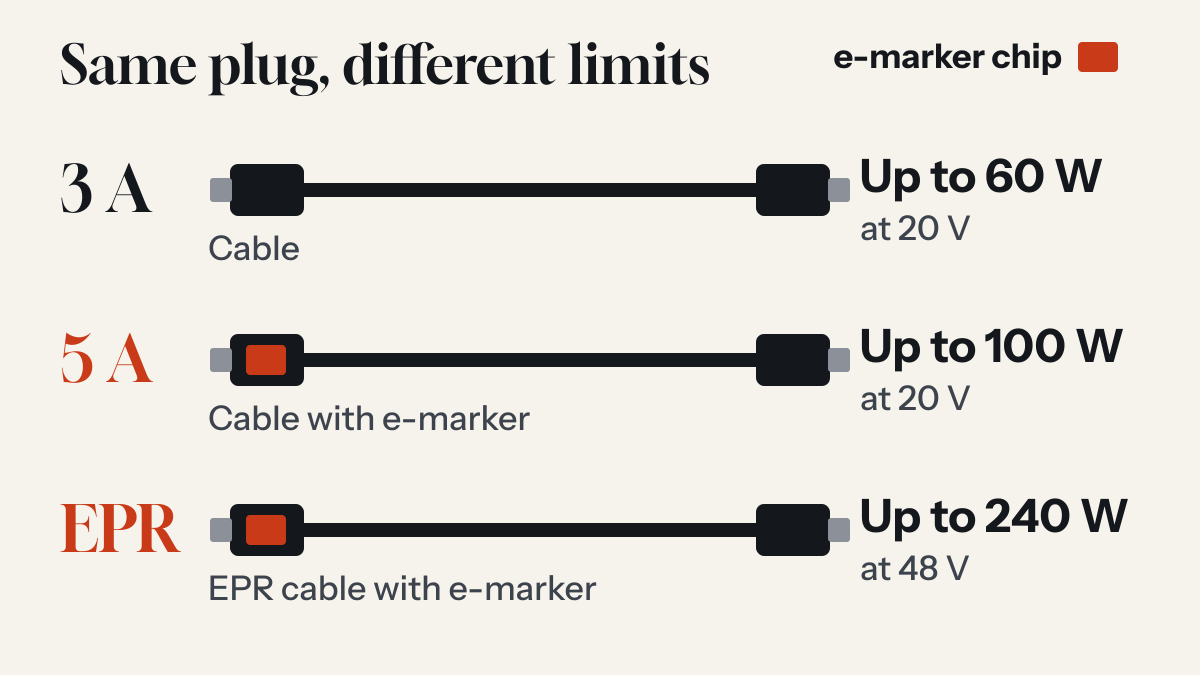
What an e-marker is
The USB Type-C specification defines an eMarker as the element in an electronically marked cable that returns information about the cable in response to a USB Power Delivery command. It gives the example of the cable's current-carrying capability, its performance and its vendor.
Microchip's guide lists what that identity can contain, including the vendor and product IDs, hardware and firmware revisions, the cable's current capability of 3 A or 5 A, and its data signalling capability. The chip is generally powered through a dedicated line in the cable called VCONN.
Which cables have one
Not all of them, and that is by design. In the 2019 release of the Type-C specification, all full-featured USB Type-C cables must be electronically marked, while USB 2.0 Type-C cables may be. Microchip's guide adds that active cables, which contain signal conditioning electronics, and cables supporting more than 3 A are required to include one.
What happens without one
Before it negotiates power, a USB PD charger can send the cable a Discover Identity message. If there is no marker or no response, the Type-C rules, as Microchip describes them, say the cable must be assumed to carry no more than 3 A. A port able to supply more has to confirm a 5 A rating first, and only then offers more than 3 A to the device at the other end.
At the top of the standard range, 20 V at 3 A is 60 W. So a 100 W charger and a 100 W laptop joined by a cable that reports no 5 A rating have 60 W to work with. The guide to USB-C Power Delivery explains that negotiation in full.
| Cable | Current | Most power | E-marker |
|---|---|---|---|
| Standard | 3 A | 60 W (20 V) | Not required on USB 2.0 cables |
| 5 A | 5 A | 100 W (20 V) | Required |
| Extended Power Range (EPR) | 5 A | 240 W (48 V) | Required |
Power and data are separate
A high wattage does not mean high speed. USB-IF's logo guidelines say USB 2.0 Type-C 60W and 240W cables deliver data at up to 480 Mbps. A cable could therefore be rated for a laptop's full power and still be slow for moving files, so check both figures if you care about both.
How to read the label
USB-IF runs a logo programme for certified cables. Its January 2026 guidelines say USB-C to USB-C cables going through the compliance programme must be labelled on the cable itself, embossed or printed on the overmold, with the appropriate data rate and power wattage logo. Its example is a 20 Gbps cable supporting 20 V at 3 A, which carries a combined 20Gbps/60W logo.
Those logos are for products that have passed USB-IF's compliance testing. A cable without one has not shown you that it has. The e-marker itself cannot be seen from the outside, so a seller's description is not proof of what is inside.
Which cable you need
- Most phonesApple asks for a USB-C cable compliant with the USB-C standard, such as the one that comes with an iPhone. For the fastest charging on iPhone 18 Pro models and iPhone Duo, Apple's notes specify a 60W-capable cable.
- A laptop on over 60 WLook for a 5 A rating up to 100 W, or a 240W logo above that. Texas Instruments lists a 5 A cable as required above 60 W and an EPR cable as required above 100 W.
- Moving files or running a displayCheck the data rate on the cable as well as the wattage.
Common questions
What is an e-marker in a USB-C cable?
An e-marker is a chip in the cable that reports the cable's details, such as its current rating and vendor, when a USB Power Delivery port asks for them.
What happens if a USB-C cable has no e-marker?
The USB Type-C rules say the port must assume the cable can carry only up to 3 A. A port that can supply more will not offer more than 3 A over that cable.
Sources
- USB Type-C Cable and Connector Specification, Release 2.0 (section 4.9) USB 3.0 Promoter Group, August 2019
- AN1974: Introduction to USB Power Delivery Over the USB Type-C Cable Microchip Technology
- USB Type-C and USB Power Delivery: Designing for both Extended Power Range and battery-powered systems Texas Instruments
- USB Type-C Cable Logo Usage Guidelines USB Implementers Forum, January 2026
- Charge and connect with the USB-C connector on your iPhone Apple Support
- Fast charge your iPhone Apple Support
Read next
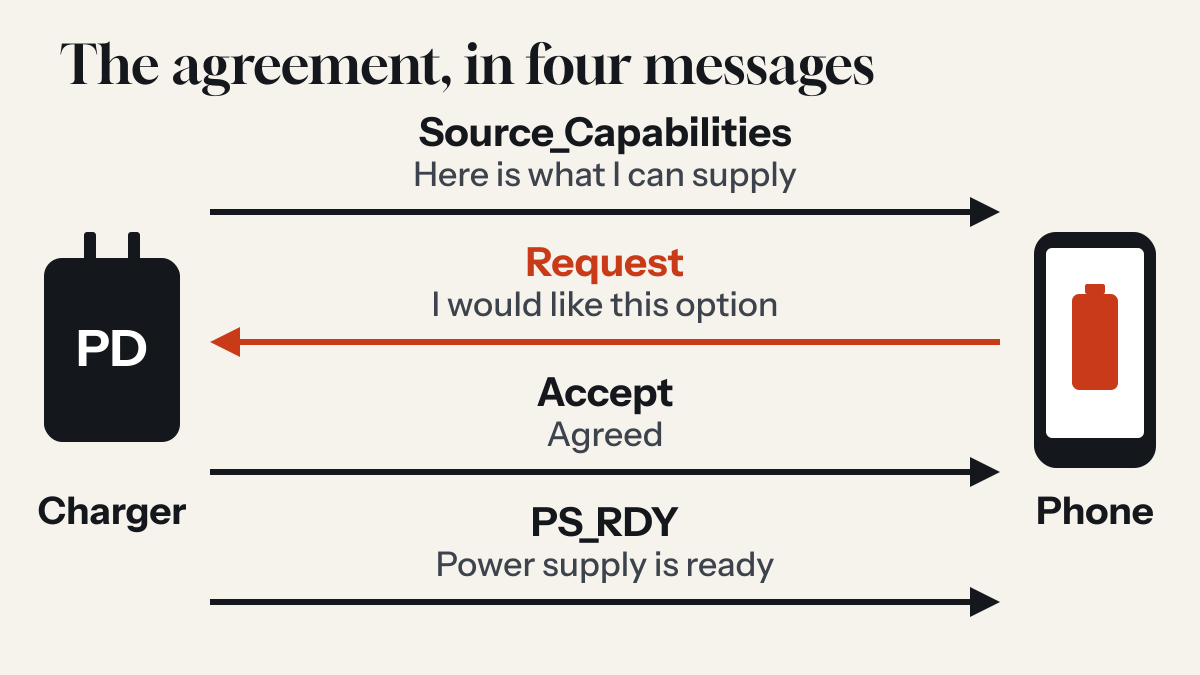
How USB-C Power Delivery works: the short conversation before your phone charges
A USB-C PD charger does not simply push power at your phone. It lists what it can supply, the phone asks for what it wants, and only then does the voltage change.
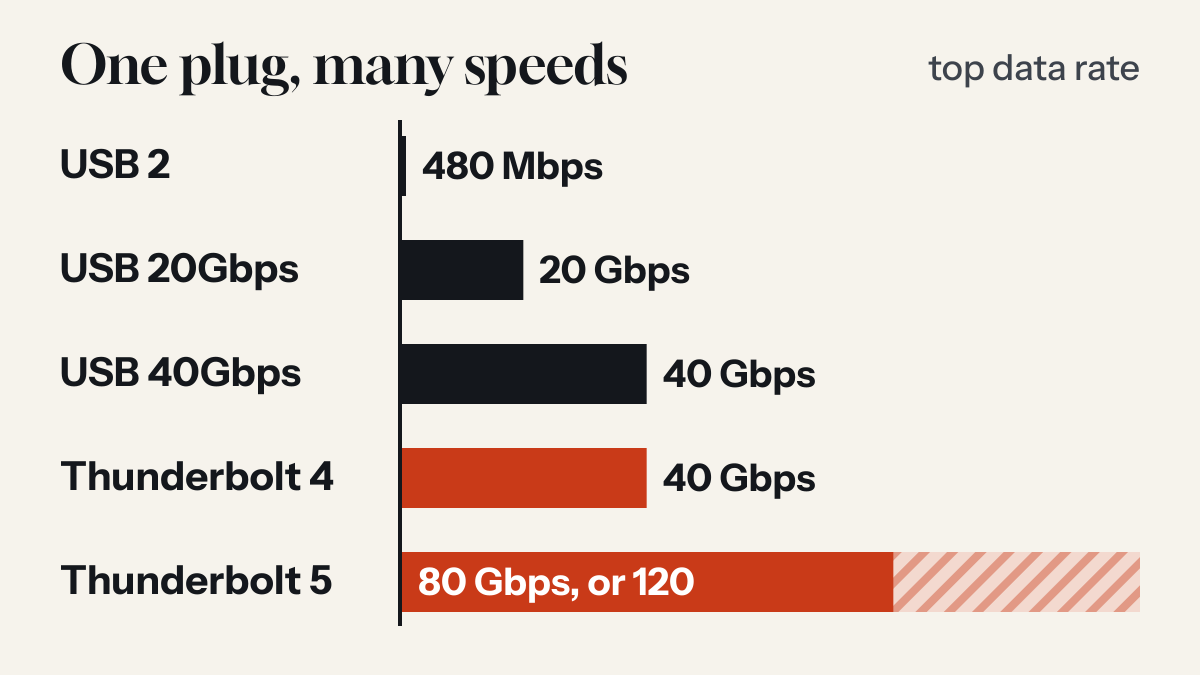
Is USB-C the same as Thunderbolt? The plug is shared, the abilities are not
USB-C names the shape of a connector. Thunderbolt names what can run through it. A port can look identical and do very different things.
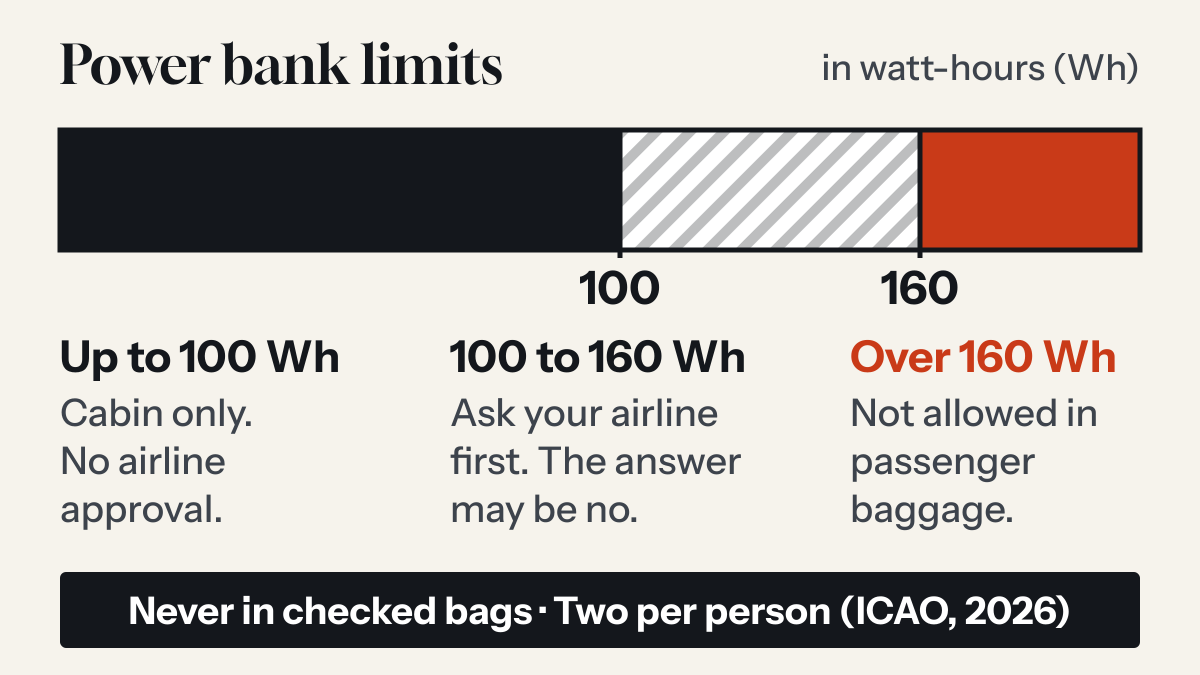
Can you take a power bank on a plane? The rules after the March 2026 change
Yes, in your carry-on and never in checked bags. International rules tightened in 2026: two per person, and no recharging the power bank on board.