Advertorial. Published by Titan Power Plus, which sells these products
Can I use a third-party cable on my phone?
How to tell if a spare cable is safe, and the USB-C cable we make.


Yes, you can. If your cable has quit and the one within reach came in some other box, your phone's port decides how you know it's safe.
On Lightning, the safe kind carries Apple's MFi badge. On USB-C, which iPhone 15 and later have, MFi doesn't apply.
For a USB-C phone, this is the cable we make at Titan Power Plus: the Smart Cable PRO, carrying up to 100W on USB-C PD for phones and tablets, with a braided jacket and a reinforced 90° head. It comes buy one, get one free: two 4ft cables for $29.95, backed by a 2-year warranty.
Can a cable really hurt your phone?
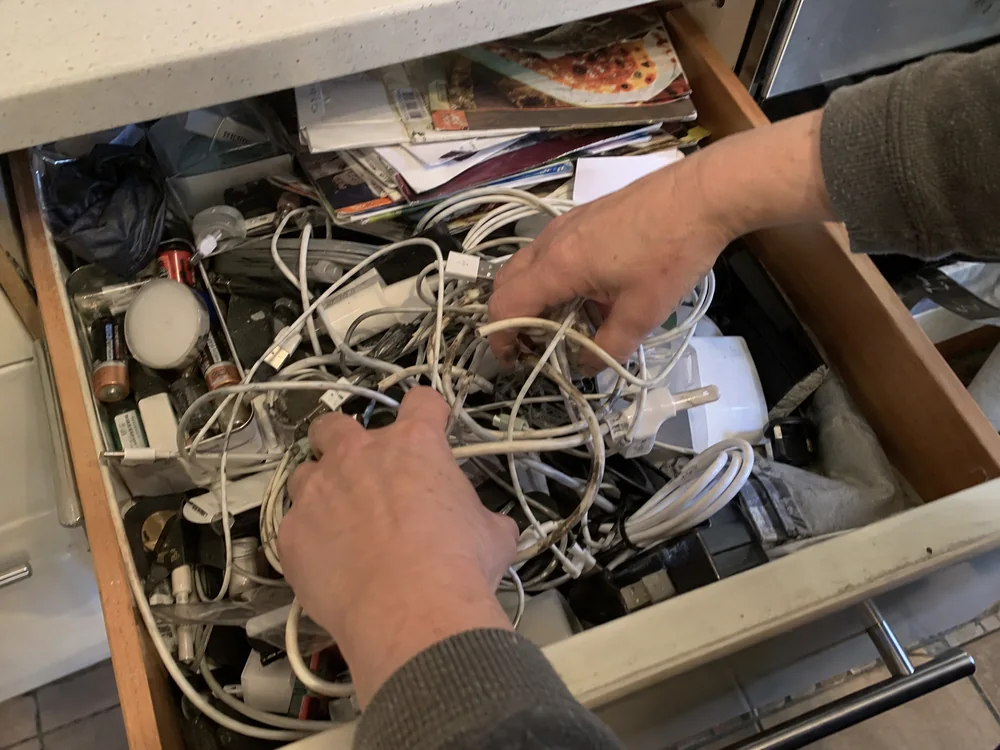
It can, if it's an uncertified Lightning cable: it could damage the device itself, or leave you unable to sync or charge.
And if your phone has ever warned you that an accessory may not be supported, it has already raised the worry for you.
So the worry is fair. What gets lost is the port. The warning gets passed on as a single rule for every phone: only the maker's own cable is safe. That rule leaves you either nervous about every spare in the house or trusting whatever's cheapest in the next tab, and neither protects your phone.
The badge belongs to one port
Apple recommends using only accessories it has certified that come with the MFi badge. MFi is Apple's licensing program for third-party accessories that use its licensed technology to connect electronically to its devices, and the parts it licenses include Lightning connectors and receptacles.
USB-C charging accessories sit outside that program. A USB-C iPhone charges on a USB-C cable and power adapter that comply with the USB-C standard, from Apple or other manufacturers.
1. Look for the badge on the box
If your phone takes a Lightning plug, a certified cable carries the MFi badge on its packaging.
Then look it up: Apple runs a public accessory search where anyone can check a brand or a model. The cable we recommend here is USB-C; for a Lightning phone, choose one listed on that search.
2. On USB-C, read the rating
Here the cable has to tell you what it does. Read two things on the box or the listing: the power it's rated to carry, and the standard it carries that power on, such as USB-C PD.
If all you can find is a length and a color, you haven't been told what you need.
3. Where a cable gives out
An uncertified Lightning cable can also fail on its own: it might be easily damaged, or the connector end might fall off, get very hot or not fit properly.
So whatever your port, judge a cable by its build: what the jacket is made of, and how the head is built where the cable leaves it.
The one we make for USB-C phones
Here's ours, and it answers the rating check in one line: the Smart Cable PRO supports up to 100W charging on USB-C PD, for phones and tablets.
It has a USB-C end at the phone and a USB-C or USB-A plug at the charger, in 4ft or 6ft, so pick the plug that fits your charger.
A chip that regulates the power
Since what brought you here was whether a cable can hurt your phone, this is the part we'd point to: a built-in chip regulates power flow to prevent overheating, overcharging and battery wear.
And on the build, the jacket is braided and the 90° head is reinforced.
- Apple's MFi Program guidance
- Apple's USB-C charging guidance
Covered against defects
If it fails from a defect inside two years, we send you a new one. You also have 30-day returns, and support answers 24/7.
If your phone has USB-C
This is the cable we'd hand you. It's buy one, get one free: two 4ft cables for $29.95, or two 6ft for $32.95.
Keep one by the bed and one in your bag.
“Great magnetic cable, quick charging. I find the green light a little too bright but overall a good item” Verified buyer
“Excellent quality - the selfcoiling feature is a definite plus. Item exactly as advertised.” Verified buyer
“Seven weeks later, I totally love it” Verified buyer
“Love these cables.” Verified buyer
“It's a must have 👍👍👍👍👍” Verified buyer
Questions
What does 'accessory may not be supported' mean?
It can mean the accessory is damaged, isn't Apple-certified or supported by your device, or that your device's port is damaged or dirty.
What should I do when that alert shows up?
Update iOS, make sure the accessory works with your device, disconnect and reconnect it, then check the connectors for damage or debris.
Read next
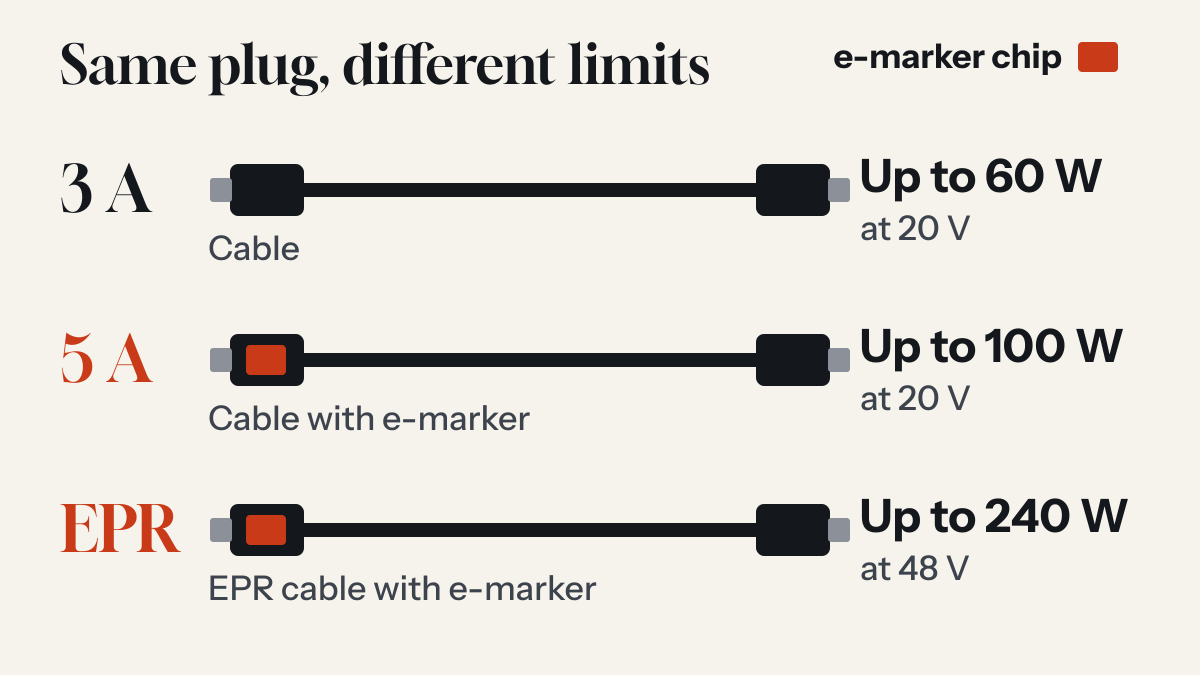
Are all USB-C cables the same? What the e-marker chip does
The plugs match. What the cable can carry does not, and some cables contain a small chip whose job is to say so.
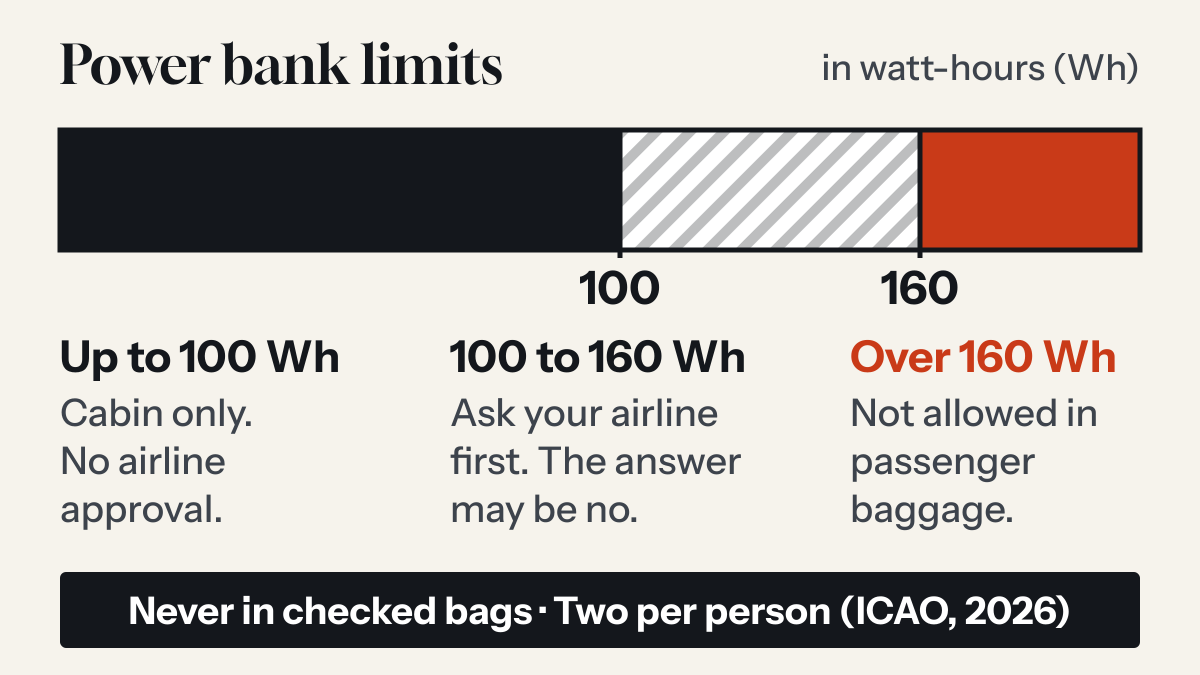
Can you take a power bank on a plane? The rules after the March 2026 change
Yes, in your carry-on and never in checked bags. International rules tightened in 2026: two per person, and no recharging the power bank on board.
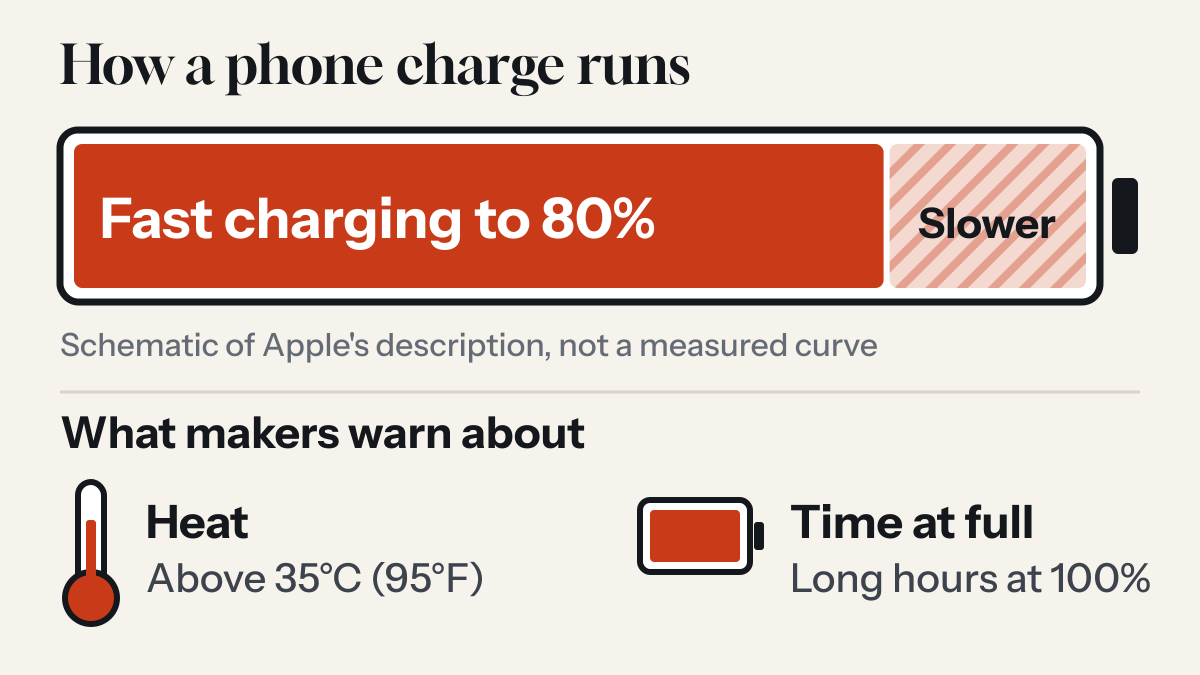
Does fast charging damage your phone's battery?
Every lithium-ion battery wears out. Phone makers build fast charging around that fact, and what they warn owners about is heat and long hours at full charge.